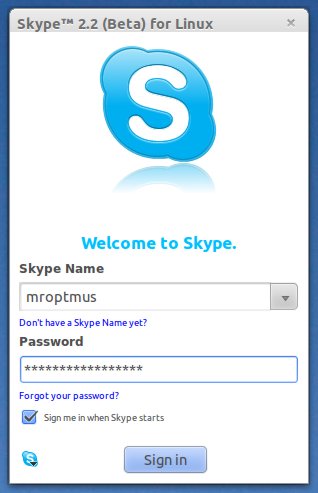


If you have installed Ubuntu 11.10 (latest version : beta 1, final is coming on Oct 13th) then first you would need to install some basic applications ( Recommended post – top things to do after installing ubuntu 11.10) to begin, e.g a VoIP software – that can be used to make free calls (audio/video) over the internet. Google talk or gtalk is one of such applications but it’s not available for Ubuntu or Linux distros.
For text/voice chat there is another good program – skype, although Ubuntu 11.10 has one such program (installed by default) – Empathy which can be used for text chat, video calls, audio calls etc but skype is probably better than that. Besides text chat or audio/video calls over the web, skype can also make calls to phone/mobile at some rates and one of the most cool feature is audio/video conferencing. Other great features include – screen sharing, file sharing etc.
Skype is based on peer to peer protocol and hence it provides better quality as compared to other chat client. That’s why skype is the most popular chat application. In Ubuntu 11.10 (oneiric ocelot) skype has been added in official package repository – so you can install it in a couple of click, right from the Ubuntu Software Center.
Installing Skype on Ubuntu 11.10 – oneiric ocelot
Open Ubuntu Software Center and search for ‘skype’ , then click on install and authenticate yourself (enter your ubuntu login password) to begin download/installation process.
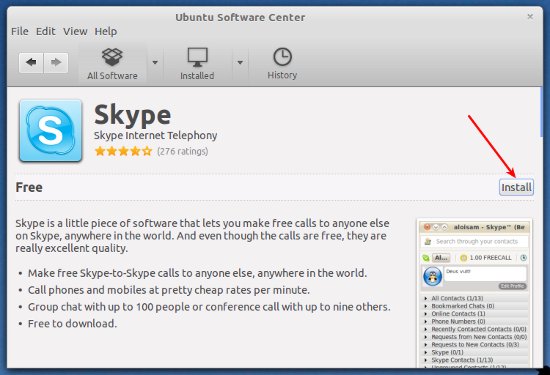
Or Install skype from Terminal
sudo apt-get install skype
How can i install skype in offline mode (without Internet)
very simple! ..just download the package (for Ubuntu, download *.deb file) from the official website – http://www.skype.com/intl/en/get-skype/on-your-computer/linux/ and open it with Ubuntu Software Center or install from command line –
sudo dpkg -i file_name.debThat’s All ..Have Fun!
O pacote skype não está disponível, mas é referenciado por outro pacote.
Isto pode significar que o pacote está faltando, ficou obsoleto ou
está disponível somente a partir de outra fonte
E: O pacote ‘skype’ não tem candidato para instalação
How come the Skype theme doesn’t match the rest of my desktop?
i like it the command way using the Terminal..thats simple
I have ubuntu 11.10 and did install Skype. But it won’t start. Any ideas of what to look for?
How to import address books to skype on oneiric ocelot from google? I wish someone would give me some directions on how to achieve this task.
Thank you
louiemat@gmail.com
This guide is pretty lacking tbh. You have to enable canonical supported partners and partners (course code) for skype to install correctly in 11.10. There is some other tweaks you need to do as well.