

Ubuntu 11.10 has unity as the default window manager; based on Gnome 3. In Ubuntu 11.10, you would notice a lot of improvements in Unity (simply, it has evolved! I didn’t like unity on 11.04 but on 11.10, I’m loving it, despite of the fact that Gnome is my most favorite Desktop (classic as well as shell interface)).
That’s why, I’ve written this post to explain some of the basic shortcuts of unity desktop, specifically for beginner users; most of the shortcuts I’ll write here, are already available in system settings ->keyboard, where you can define your own keyboard shortcuts or just edit/customize the existing shortcuts. I’ve already covered some of the unity related Ubuntu 11.04 keyboard shortcuts , only few of them has changed.
16 Most useful keyboard shortcuts for Ubuntu 11.10 users (beginner)
- Ctrl + Alt + t : Opens the Terminal
- Ctrl + Alt + L : Lock the screen
- Ctrl + Alt + Delete : Logout from the current session
- Ctrl + Alt + Left/Right/Up/Down : To change workspace [e.g hit Ctrl+Alt+Right (Arrow Key) for moving to right workspace]
- Shift + Ctrl + Alt + Left/Right/Up/Down : To move windows to different workspaces [e.g Shift+Ctrl+Alt+Down will move the selected window to down workspace]
- Super : focus on Unity Launcher (left panel), with some unique number for each Apps [super key is the one with window logo]
- Super + {n} ; where n = 0 1 2..9 : it will launch the corresponding Application
- Super + t : Opens trash program
- Super + d : toggle between the All Windows Minimize/Restore state
- Super + s : shows you – the all available workspaces, it has the same action as if you click on workspace icon in launcher.
- Alt + Tab : Switch Applications
- Alt + F4 : Close the window
- Alt + Space : Activate the window menu
- Alt + F7 : Move Window
- Alt + F8 : Resize Window
- Alt + F2 : Opens the run command dialog
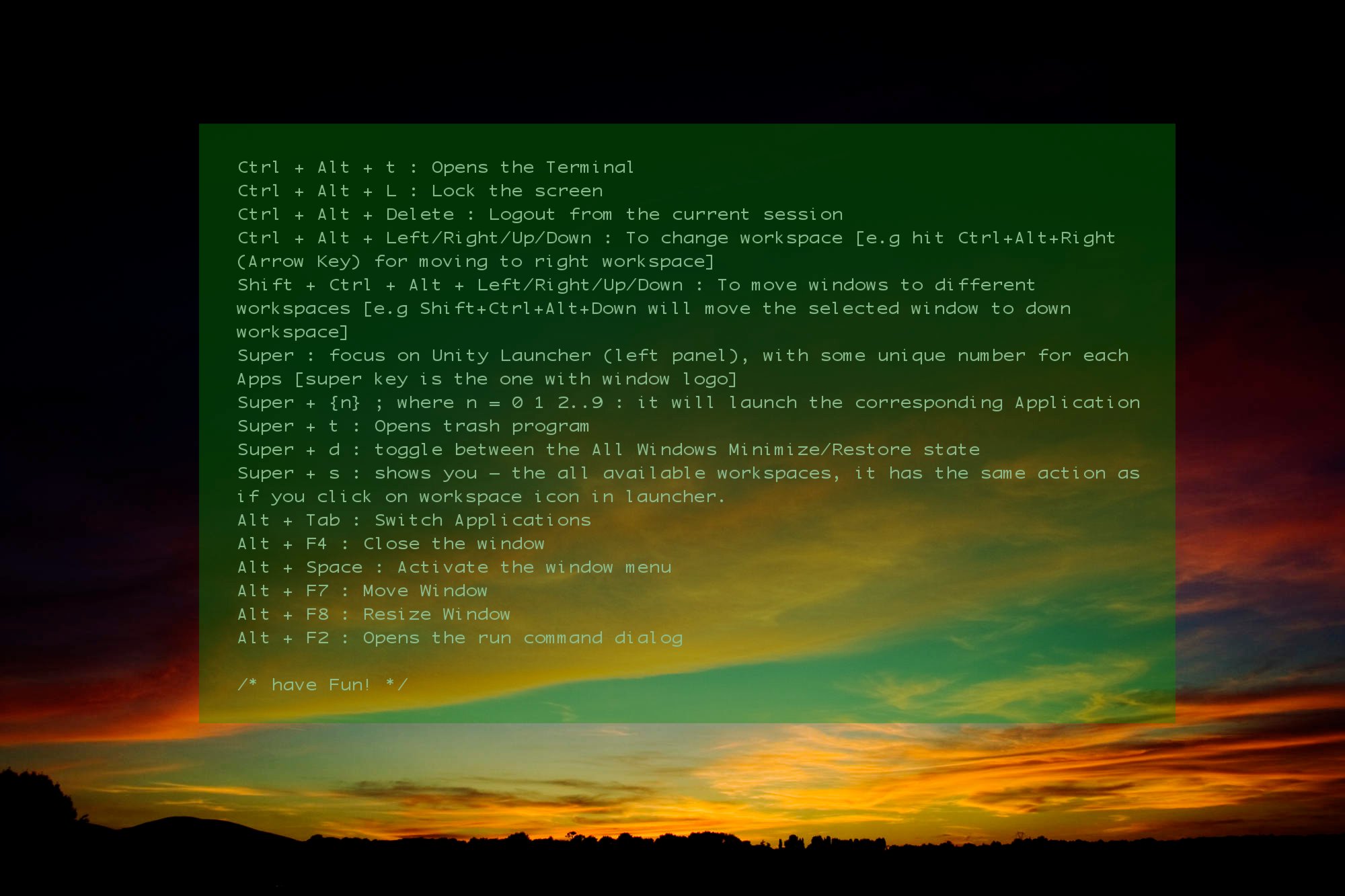
Download Ubuntu 11.10 Keyboard shortcuts wallpaper
Here is a default wallpaper of Ubuntu, with some keyboard shortcuts (edited by me; to download the wallpaper, click on the image below and right click -> save) –
Setting Up your own custom Keyboard Shortcuts
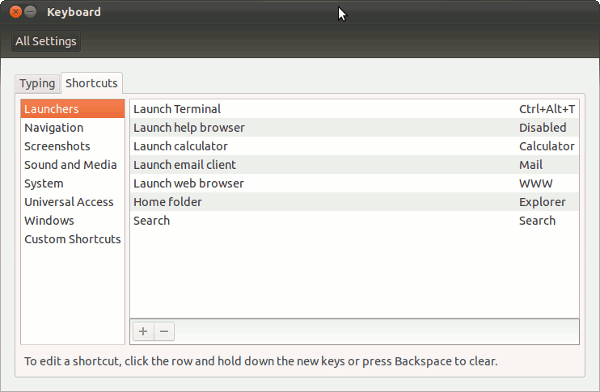
Go to system settings -> keyboard ->Custom Shortcuts , and click on + button to add one.
The keyboard shortcuts I’ve described above are few most commonly used shortcuts, if you have some new shortcuts to share – then please consider sharing with us – through comment(s). Have Fun!! 🙂
for some reasons, i hate unity. yes, it does looked stylish and sleek and anything but inconvenient to me.
try to use it more. I though like you few months ago, but finally I discovered this simplicity and usability is so good.
Alt-` seems to switch between open windows of a same program. Super-w opens an expose of all windows
You still able to use Super+w ? How it is ? Seems that it cut-off the function of Super+w switch in work-space. That’s annoying with Work-space switcher and Application switcher (I’m satisfied with 11.04 switchers)
Super-d doesn’t seem to be working 🙁
I’m having the same problem on 11.10
It has changed to Ctrl + Alt + D. You can change that using System Settings -> Keyboard -> Shortcuts -> Navigation -> Hide all normal windows. Change the shortcut from Ctrl + Alt + D to Mod4+D (i.e Super-d). Due to unity you might press D twice.
Great post, I’ve been looking for a list of the shortcuts, couldn’t figure out the workspace switcher for the life of me.
Awesome list. When you’re in the “4 work space grid” view, how do you move windows between work spaces. It worked in the previous version.
If I wanted keyboard UI, I’d probably switch to ION3 or other tiling WM.
Hi all ubuntu users!
Before upgrade to ubuntu 11.10, I use 11.4 version and I was really satisfied with the way 11.4 switch between workspaces (Ctrl + Alt + arrows) and windows in one individual workspace (Alt+Tab). But in 11.10 Alt+Tab switches between all windows in all workspace. For me, it is not familiar, and not comfortable. So please help me by telling me how to switch between windows in one workspace!
Best regard
yeah, I love the alt+tab in 11.4, too.
Same problem.. would have been nice if it was possible to switch only between the windows in one desktop
I have 11.10, and it’s working as you wrote in 11.04…
Fusitsu Siemens ESPRIMO mobile laptop.
Easy switch between all windows: Super + w
And you really need the alt + ` posted by Someperson, if you have many windows open of the same application (with alt-tab you need to wait quite some time before you can choose between those windows)
-S … That’s what I’ve been after.
Cheers Ramesh.
alt+` is very annoying because it
has been assigned for switching input method between Japanese and English but it seems to be assigned for
switching window in application. I checked keyboard setting but it is
supposed to be disabled.
I reply to myself because I fixed my problem. A problem I found was alt+` was supposed to be DISABLED at shortcut setting in keyboard setting but it was preventing my assignment for switching between Japanese and English. Now I assigned switching in a program to alt +1 then it has been resolved. Anyway I believe it is a minor bug.
Thanks for your list! I think there is another one to see the las files used..what is that?
Javi
the 4th one: Ctrl + Alt + Left/Right/Up/Down, doesn’t work on my computer > Rotate Cute -> Bindings, the “Rotate with windows” key-bind is right there without any problem. The only thing I can guess is that this key-bind conflicts with others, or even with some gnome setting, but I cannot find the problem. I’ll appreciate if you have any idea about this.
Shift+Alt+↑ – Expo mode for all windows in the current workspace only.