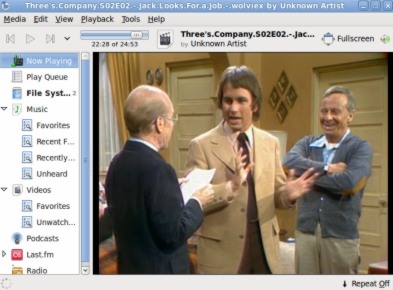
Banshee Media Player for Ubuntu 10.04 lucid lynx
Banshee is a media management and playback application for the GNOME desktop with some important features like – importing audio from CD,creating and searching library,synchronizing music files from computer from/to ipods or other media devices,burning selected audio files to CD..etc.playing video files.Banshee can be installed on Ubuntu 10.04 lucid lynx..just in few clicks by using Ubuntu Software Center or Synaptic Package Manager;other wise you can also use terminal to install.
Install Banshee from Command Line
Open terminal from Applications->Accessories->Terminal(or just hit CTRL+ALT+T).Then type the commands(given below) followed by your ubuntu login password.
$ sudo apt-get install banshee
[sudo] password for rkjha:
Reading package lists… Done
Building dependency tree
Reading state information… Done
………………………………………….
Install Banshee from Ubuntu Software Center(OR Synaptic Package Manager)
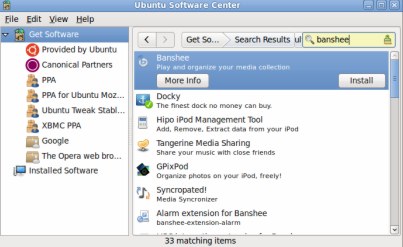
#1. Open Ubuntu Software Center and search for ‘banshee‘.
#2. Then click on install to begin installation(In Synaptic Package Manager first check the box,then click on apply to begin installation).
#3. Wait… until the installation is complete.to open it go to Applications->Sound & Video->Banshee Media Player.
#4. End of the FUN!