

Ubuntu 11.04 handles file permissions in the same way as any other Linux Based distribution. File Permission is a advanced security policy that controls the administrative right to the files based on some rules and settings. The main purpose of the file system is to protect the files from unauthorized access. Ubuntu or Linux based OS has very secure and robust file permission Rules.
Due to the File permission rules and settings, some times it’s very annoying, specially for advanced users. Ubuntu provides ‘sudo’ command (Just add the ‘sudo’ term in the beginning of the command, that you want to execute), that allows the normal users to perform administrative tasks. But sometimes it’s good to have full root power! without any sudo, in GUI mode, it seem dangerous but if you deliberately want this, then this post will explain how to gain root power (or unlock/enable ROOT in Ubuntu) in GUI mode, on Ubuntu 11.04 (Natty Narwhal).
Enable (Unlock) root on Ubuntu 11.04
#1 : Open Terminal/shell , (hit CTRL+ALT+T)
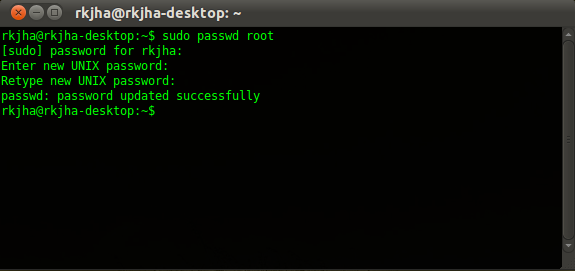
#2 : Then, Type the command (Followed by your Login Password).
sudo passwd root
#3 : when you will be prompted for “Enter the New Unix Password” Twice, Enter the root password.
#4 : That’s All, To enjoy root power, logout from the current user session. At the login window, Enter ‘root’ as a username and the password, you entered in above step.
Conclusion : In root mode, don’t perform any action about which you aren’t sure, because a single mistake can cause a lot of damage. If you just want to browse files in root mode, then you can browse nautilus in root mode with one simple trick.
Browse Files in Root Mode with Nautilus
Open terminal and enter the command (of course, followed by your login password).
sudo nautilus
Thanks for the tip.
nautilus in sudo mode sounds the safest bet though, especially for moderate linux users.
Remember to use gksudo 😉
how do i login as root within the terminal only ?
sudo su
or su root
“sudo -i” will do in most cases.
thanks
even kids knows to change the password for root….!!!
@62d4b0105c3e03be0f42ff455852c9bd:disqus some kids probably don’t know (Source : Google Keyword Tool) 🙂
thanks
i tried installing ubuntu on my usb but didnt work, so i use
sudo nautilusto remove all the filesp.s. my usb is 4 gb but ubuntu didnt have enough space
There is also another useful alternative. Create new user (pick any name you like – super, for example). Then open terminal and edit new user record in the /etc/passwd file (only root can do it, of course, so run editor with sudo). Set UID and GID fields to 0 (zero) and the newly created user name becomes the alias for root:
$ cat /etc/passwd | grep super
super:x:0:0:root:/root:/bin/bash
$ su super
Password:
# whoami
root
Opps – do not create user by GUI tool. Instead, use ‘adduser’ CLI command:
$ sudo adduser super
[sudo] password for me:
Adding user `super’ …
Adding new group `super’ (1001) …
Adding new user `super’ (1001) with group `super’ …
Creating home directory `/home/super’ …
Copying files from `/etc/skel’ …
Enter new UNIX password:
Retype new UNIX password:
passwd: password updated successfully
Changing the user information for super
Enter the new value, or press ENTER for the default
Full Name []:
Room Number []:
Work Phone []:
Home Phone []:
Other []:
Is the information correct? [Y/n] y
ok there is a root permission in usr/share/themes how can i control the permission i want to install a theme , i down loaded it and i have to copy it on usr/share/themes so i tryed but it sais i dont have permission to do that cuz im not root so how can i change the settiong so i can be in control of that to so i can copy my new theme in that folder?
Open nautilus File browser, using
sudo nautilusorgksu nautilusalways gksu, sudo is not suitable for GUI apps as it doesn’t set up the X environment correctly. You can technically use gksu for ALL commands.
Thanks mates! I’m new to ubuntu!
You just need to run:
sudo passwd
This isn’t needed or advised in Ubuntu