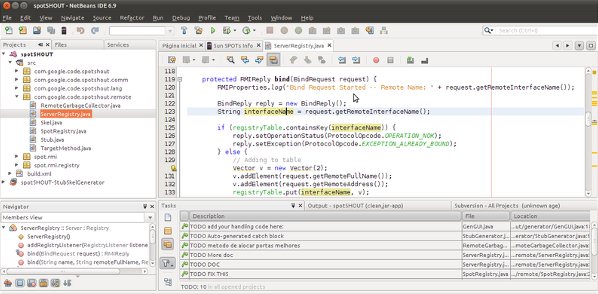


NetBeans is one of the most popular Integrated Development Environment ( IDE , which provides a set of tools and features to speed up the development process, so helpful in boosting productivity of programmers). Netbeans is a free and open source Application, available for all common platforms – Linux Distors like Ubuntu 11.04 (Natty Narwhal), Fedora, Linux Mint; Windows and Mac OS X. Netbeans 7.0 (Latest Stable Version) released a week ago. Netbeans is very popular among Java EE developers, because of its features and simplicity. This post will explain how to install netbeans on a freshly installed ubuntu 11.04, from USC (Ubuntu Software Center) or shell, you can also use Synaptic Package Manager.
You can also Try Eclipse IDE on Ubuntu 11.04, if you want, as Eclipse is another very popular open source IDE, but Netbeans is recommended, for beginner programmers because it’s very simple, lightweight and easy to start. A lot of free plugins are available to extend the features (support for Ruby and Rails, C/C++, PHP etc) of Netbeans IDE. I , personally don’t recommend IDE to beginner programmers, because of the fact that – ‘IDE will hide a lot of things, by creating a layer of abstraction, that we should now’; when you are experienced enough to understand the underlying details, then go for an IDE like NetBeans or Eclipse. Nebeans got 4.5 out of 5.0 in software center rating.
Features of NetBeans at a Glance
- good for java (EE features supported) programming
- Glashfish Server 3.1 is supported
- faster deployment with Weblogic
- it’s very simple to use
- all other basic features (e.g syntax coloring, Auto-completion) that you expect from an IDE
Installing NetBeans on Ubuntu 11.04
#1 : Open Ubuntu Software Center and search for ‘netbeans’.
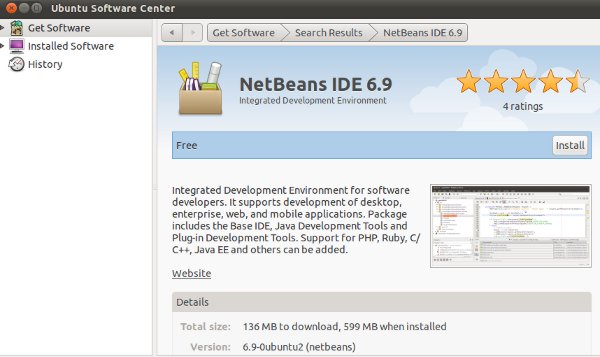
#2 : Click on install button to start the installation procedure and wait for the installation to complete.
#3 : That’s all..Enjoy coding with Netbeans.
Alternative Way – installing NetBeans from Command Line
Open terminal and type the command, followed by your login password –
sudo apt-get update
sudo apt-get install netbeans
Netbeans failed to load in the Unity desktop. After logging out and logging in to Ubuntu classic it did launch.
Googling this has failed to provide any leads. Is there a known issue and/or workaround for this?
The PC in question has an Nvidia display adapter which only worked with Unity after some extra drivers were uploaded, but so far all other applications seem to run fine in Unity.
interesting because I have been having problems with eclipse not working properly… installing netbeans is my solution.
Facing the same problem 🙁
sudo apt-get update
command gives a failure for linux mint. it tells there are some packages which are missing!
does this means there is not way to install netbeans with jee support on linux mint
if not please tell me the way?
Netbeans is not available in Ubuntu 11.10. It’s a Shame!
It’s an old version. what i exactly needs is the latest version of 7.01
i installed it under Ubuntu 11.04 but it has been removed after i “UPGRADED” to 11.10 !!!! I wonder what kind of UPGRADE was that !!!!!!!!
It was removed because there is no time / manpower to support and keep it up to date
probably the most SICKEST tutorial I ever read. you should remove this right away. Have some shame, everyone knows you can install from ubuntu software center, if that is all what you have to say!
very clear, it does work,.! thanks
it works great for me by going to the software center………..awesome